This section uses FFMedia SDK 2.6.1 as an example, and with the prebuilt ffmedia CLI builds a complete pipeline of upstream stream source → network stream pulling → encoded bitstream pass-through (or transcoding) → RTSP/RTMP serving.
This section focuses on direct relaying of the encoded bitstream: no decoding, no re-encoding, so both latency and CPU usage stay low. Only when the upstream codec is incompatible with the target output protocol do you need to add an mpp-dec + mpp-enc transcoding chain.
Preparing the Environment
Hardware Environment
Prepare the following hardware:
- Firefly RK platform (for example, ROC-RK3588-RT running Firefly Ubuntu 22.04)
- A PC on the same LAN as the board, used to provide the upstream stream source and verify the relaying result
- (Optional) An IPC network camera, used to provide an upstream source with a real bitstream
The upstream and downstream must be able to reach each other’s ports. Across subnets or behind firewalls, allow 8554/tcp, 8554/udp, and 1935/tcp.
Software Environment
Extract the SDK release package on the target board and confirm the CLI works:
tar -xzvf ffmedia_release-2.6.1.tar.gz
cd ffmedia_release-2.6.1

./bin/ffmedia modules
Check the parameter definitions of the network modules; parameter names and enum names vary with the SDK version:
./bin/ffmedia params rtsp-client
./bin/ffmedia params rtsp-server
./bin/ffmedia params rtmp-client
./bin/ffmedia params rtmp-server
./bin/ffmedia params mpp-enc
Modules used in this section’s pipeline:
| Module | Category | Purpose |
|---|---|---|
rtsp-client |
Input (vi) | Pull an RTSP stream; outputs compressed video and usable audio channels |
rtmp-client |
Input (vi) | Pull an RTMP stream with publish=true |
ffmpeg-demux |
Input (vi) | Read media via FFmpeg protocols and demuxers (HLS, WHEP, SRT, etc.) |
mpp-dec |
Process (vp) | Decode the bitstream into raw frames with Rockchip MPP (only needed for transcoding) |
mpp-enc |
Process (vp) | Re-encode raw frames with Rockchip MPP (only needed for transcoding) |
rtsp-server |
Output (vo) | Receive encoded media packets and distribute them to clients as an RTSP server |
rtmp-server |
Output (vo) | Receive encoded media packets and distribute them to clients as an RTMP server |
Preparing the Upstream Stream Source
Upstream sources in the demo environment:
| Option | Description |
|---|---|
| MediaMTX + ffmpeg synthetic stream | Zero-config setup on the PC; provides both RTSP and RTMP upstreams, covering every pipeline in this section |
| IPC network camera | A real bitstream, but usually RTSP only; the RTMP pulling pipeline still needs MediaMTX |
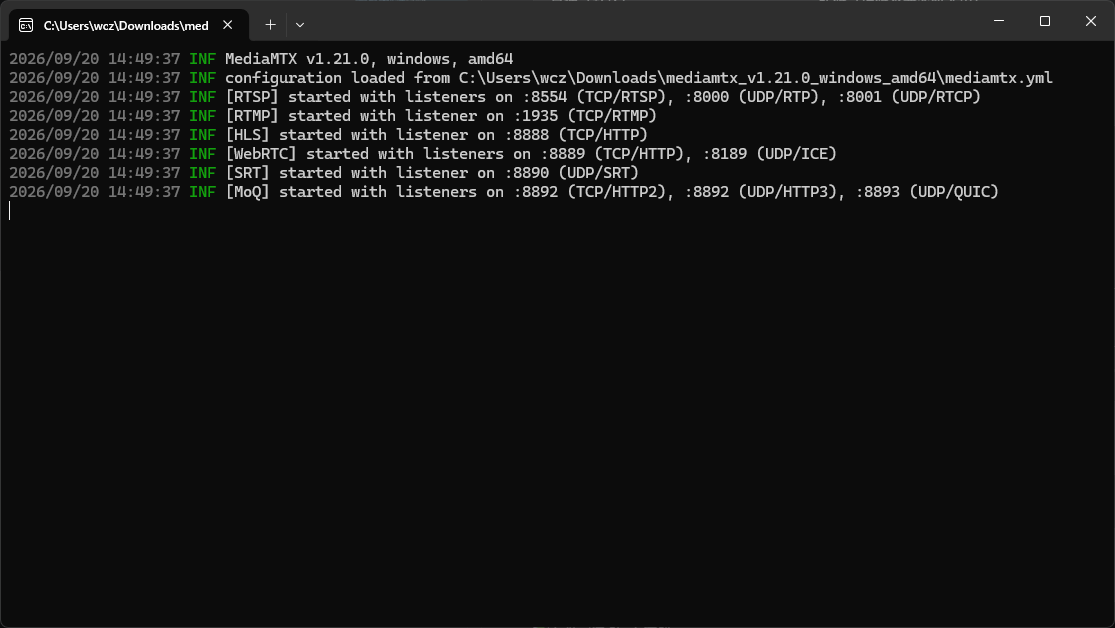
Start MediaMTX on the PC (a single file, no installation; listens on RTSP 8554 / RTMP 1935 by default):
mediamtx.exe
The default configuration already listens on 8554 (RTSP) and 1935 (RTMP), and also serves 8888 (HLS), 8889 (WebRTC), and more:
Then push in two test streams. The first is H.264 + AAC, for the pass-through pipeline:
ffmpeg -re -f lavfi -i testsrc2=size=1280x720:rate=30 \
  -f lavfi -i sine=frequency=1000 \
  -c:v libx264 -profile:v high -g 60 -pix_fmt yuv420p \
  -c:a aac -b:a 128k \
  -f flv rtmp://127.0.0.1:1935/live
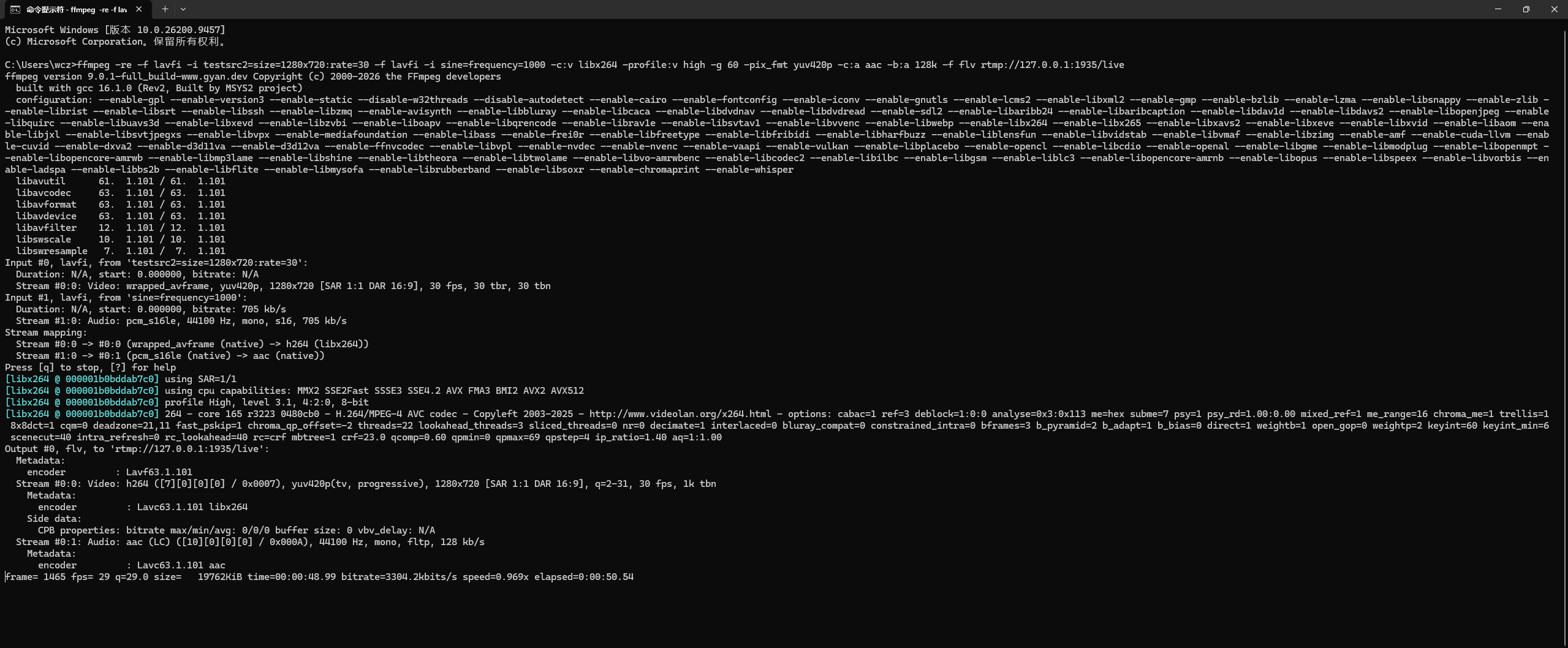
The topology:
                                 +-> rtsp-server :8554/live
ffmpeg ---> MediaMTX ------------+-> rtmp-server :1935/live
  rtmp://<PC_IP>:1935/live       +-> hls-server :8888/live/index.m3u8
                                 +-> ...
The second is H.265, for the transcoding pipeline later:
ffmpeg -re -f lavfi -i testsrc2=size=1280x720:rate=30 \
  -c:v libx265 -preset fast -g 60 -pix_fmt yuv420p -tag:v hvc1 \
  -f rtsp rtsp://127.0.0.1:8554/h265
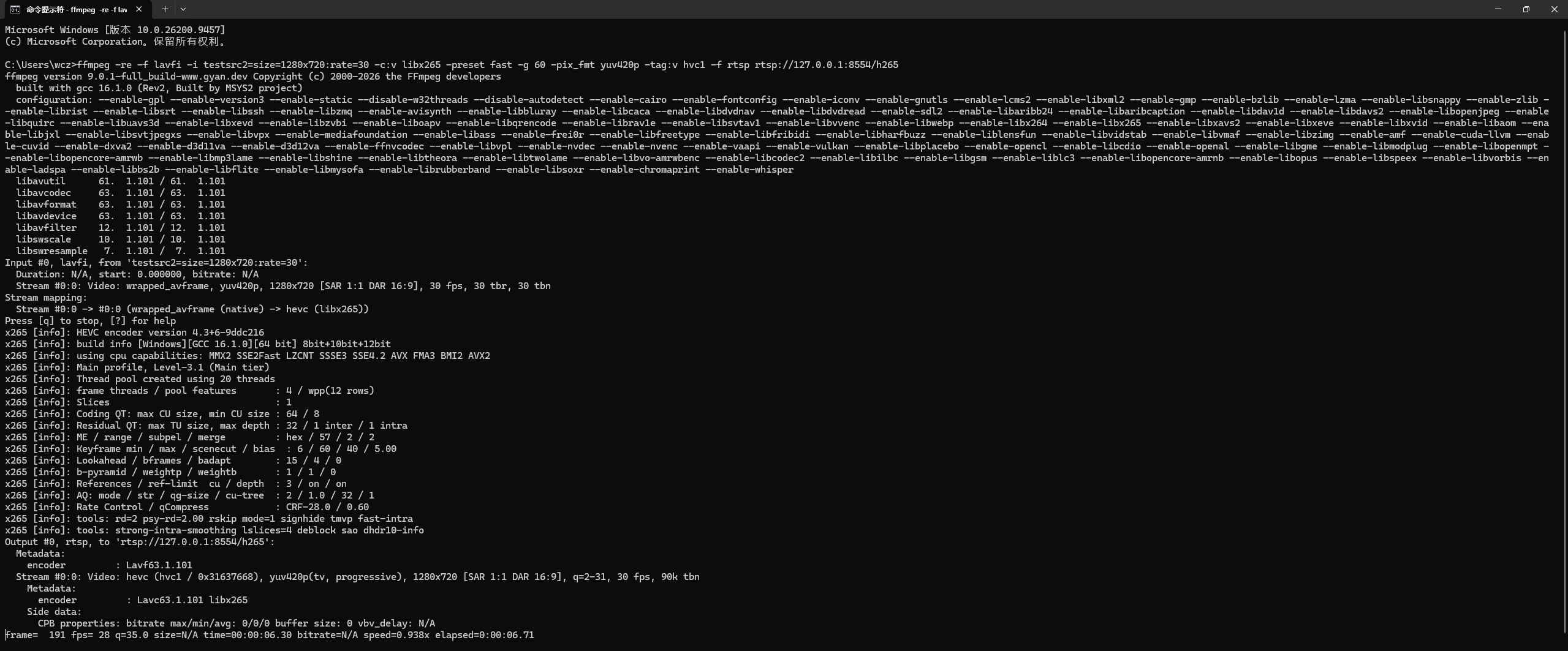
Once the streams are pushed, the PC provides the following upstream addresses (<PC_IP> is the PC’s LAN address):
| Upstream Address | Codec | Used For |
|---|---|---|
rtsp://<PC_IP>:8554/live |
H.264 + AAC | RTSP pulling, branch pipeline |
rtmp://<PC_IP>:1935/live |
H.264 + AAC | RTMP pulling |
rtsp://<PC_IP>:8554/h265 |
H.265 | Transcoding pipeline |
On Windows, use ipconfig to find <PC_IP>; here it is 192.168.31.183 for example:
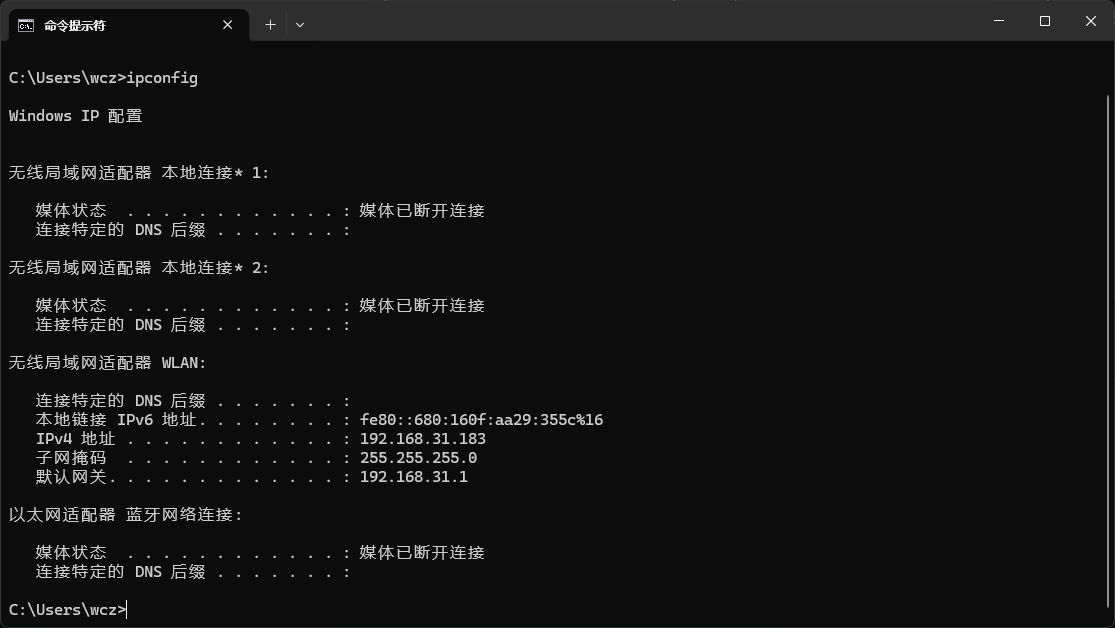
If you use an IPC camera instead, first set the video encoding to H.264 in its web admin panel, then assemble the RTSP URL in the vendor’s format.
Addresses and Ports
| Name | Example | Description |
|---|---|---|
| Upstream RTSP address | rtsp://192.168.1.100:8554/live |
Source address pulled by the target board |
| Upstream RTMP address | rtmp://192.168.1.100:1935/live |
Source address pulled by the target board |
| Relaying device address | 172.16.18.63 |
The target board’s address on the LAN |
| RTSP service port | 8554 |
Avoid 554, which requires elevated privileges |
| RTMP service port | 1935 |
The default RTMP port |
| Service path | /live |
The server’s default path |
How It Works
What the network modules send and receive is the encoded bitstream, with no pixel data involved. So the shortest “pull → relay” chain has no decoding or encoding stage:
Pass-through (default)              Transcoding (only when codecs are incompatible)
----------------------------------  -----------------------------------------------
client -> server                    client -> mpp-dec -> mpp-enc -> server
no decode, no re-encode             decode to frames, re-encode with the target codec
low latency, low CPU usage          higher latency, occupies the MPP hardware unit
input codec preserved as-is         can convert H.265 to H.264 to fit RTMP
There is only one decision criterion — the upstream video codec:
| Upstream Codec | RTSP Output | RTMP Output |
|---|---|---|
| H.264 | Pass-through works | Pass-through works |
| H.265 | Pass-through works (RTSP has broader compatibility) | Transcoding required; RTMP clients usually do not support H.265 |
Verifying the Upstream Works
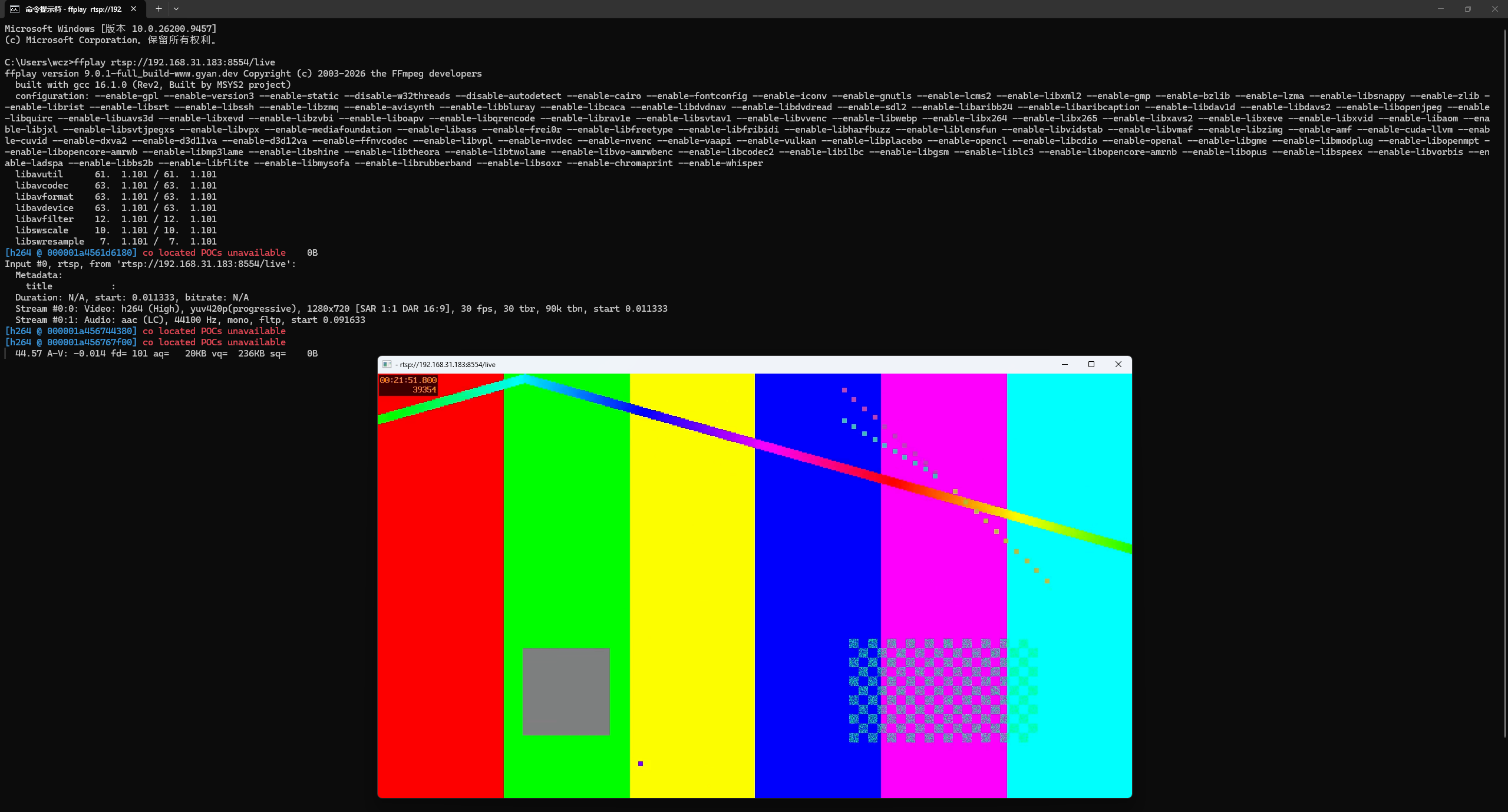
Start with the simplest verification — the board is not involved — to confirm the upstream source itself works. This step separates “source problems” from “board problems” up front:
ffprobe rtsp://<PC_IP>:8554/live
ffplay  rtsp://<PC_IP>:8554/live
In the ffprobe output, focus on the streams’ codec identifiers:
Stream #0:0: Video: h264 ...
Stream #0:1: Audio: aac ...
For example:

The upstream stream playing on the PC:
If you see
hevc/h265, use the transcoding pipeline in this document when relaying to RTMP later.
Pulling the Stream and Serving It as RTSP
Start with the simplest relaying pipeline — pull the stream and serve it as RTSP as-is.
Pipeline Structure
Pass-through pipeline:
rtsp-client -> rtsp-server
Full Command
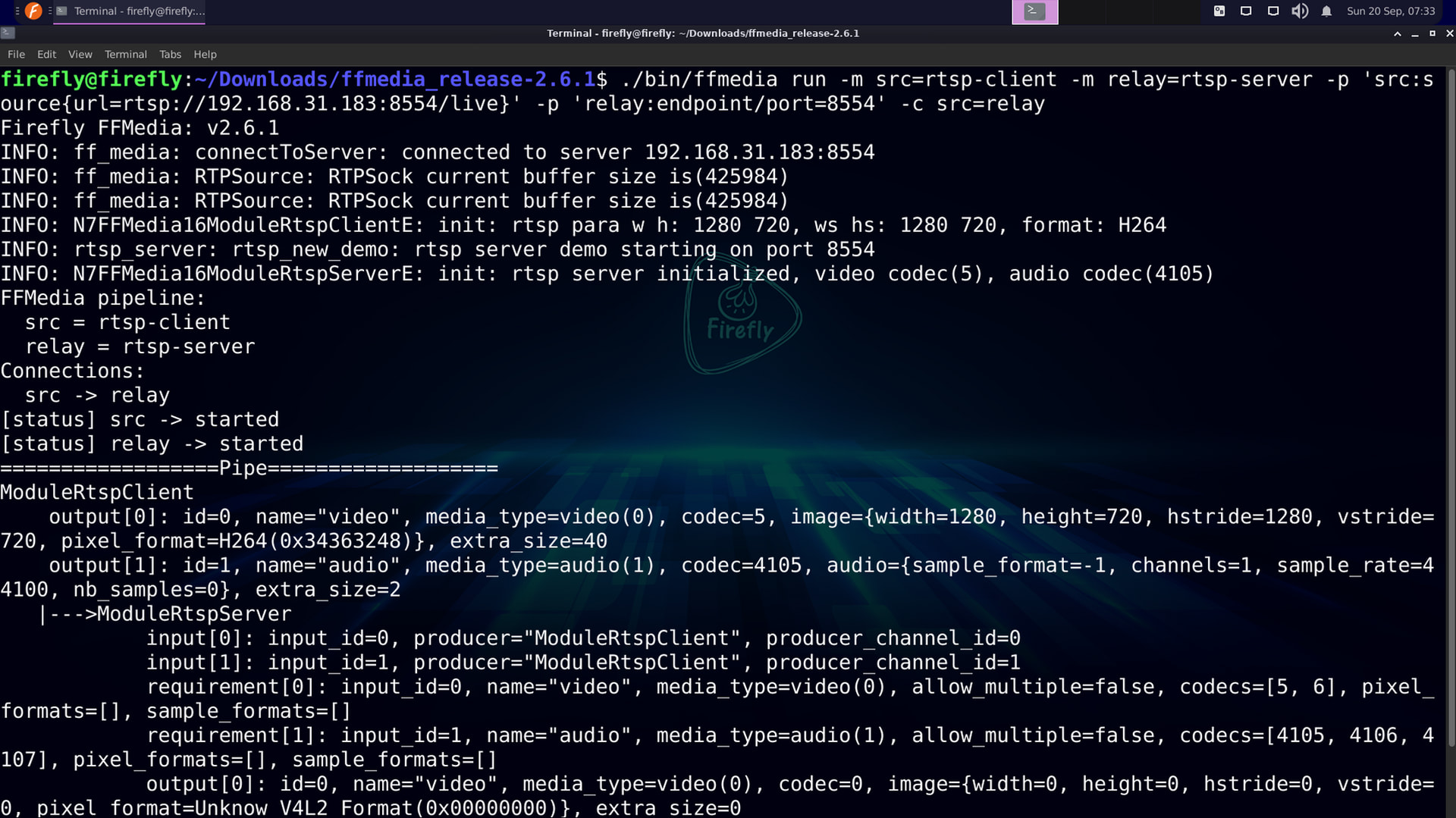
./bin/ffmedia run \
  -m src=rtsp-client \
  -m relay=rtsp-server \
  -p 'src:source{url=rtsp://<PC_IP>:8554/live}' \
  -p 'relay:endpoint/port=8554' \
  -c src=relay
Command Breakdown
| Part | Meaning |
|---|---|
-m src=rtsp-client |
Declare the stream-pulling module instance src |
-p 'src:source{url=...}' |
Specify the upstream RTSP address; sub-parameters are separated by ; |
-m relay=rtsp-server |
Declare the RTSP server module instance relay |
-p 'relay:endpoint/port=8554' |
Set the service port to 8554 (endpoint/port is a sub-parameter path) |
-c src=relay |
Connect src → relay; omitting the channel number automatically matches compatible video/audio channels |
Verification
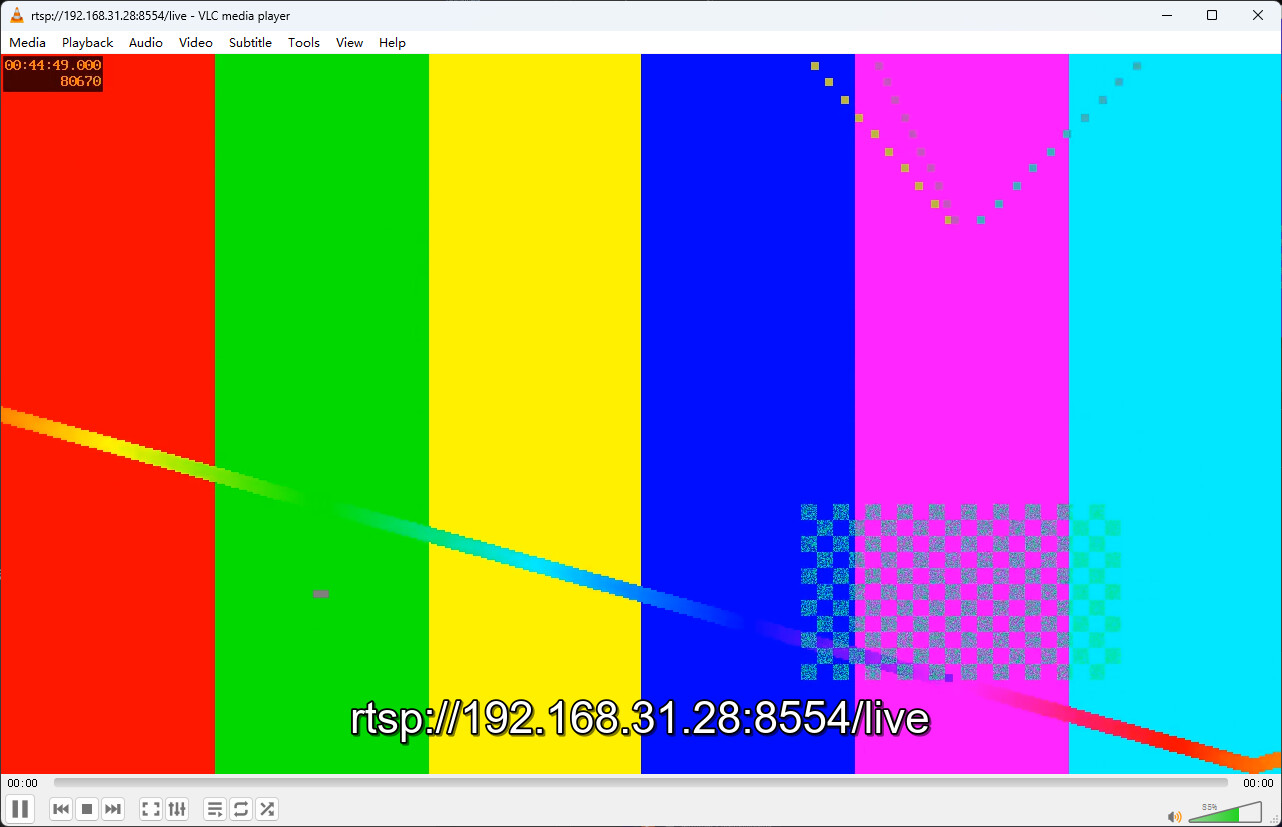
Other machines pull the stream relayed by the board via:
ffplay rtsp://<BOARD_IP>:8554/live
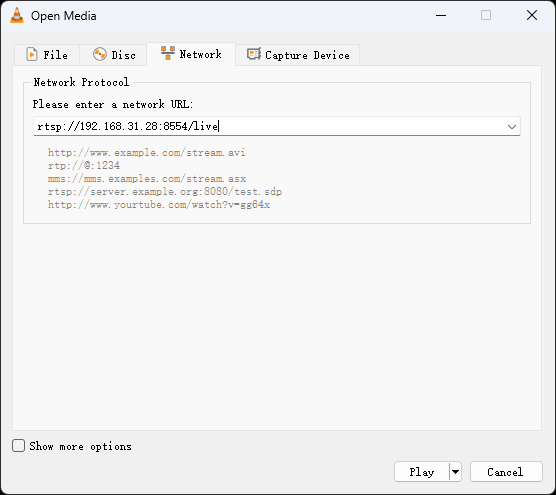
Or use the VLC client to pull the RTSP stream provided by the board:
What FFMedia prints:
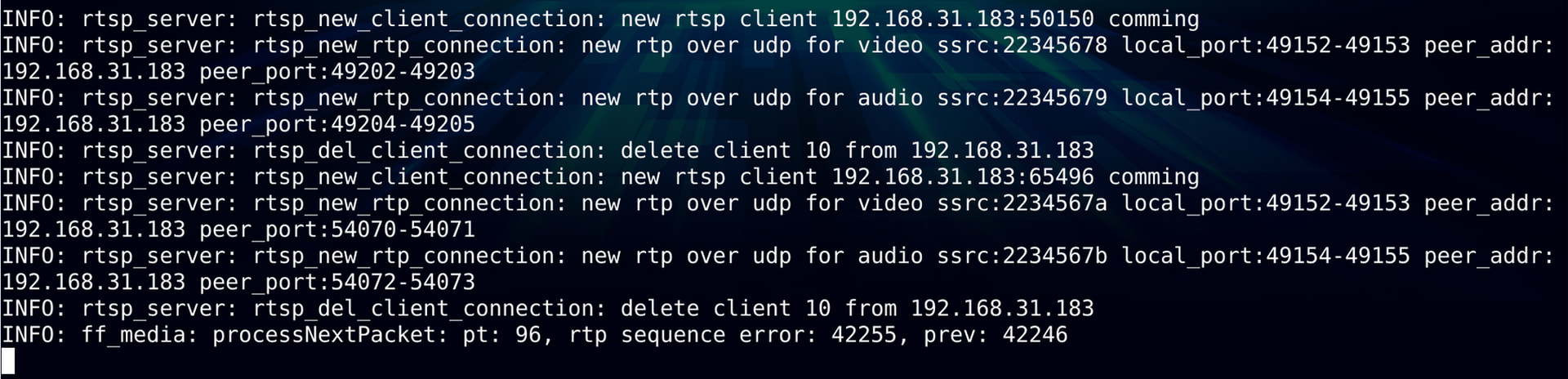
This chain contains no decoding module; it is compressed-bitstream pass-through. If you only need video, connect the video channel explicitly:
-c src@0=relay.
Using TCP Transport for the Upstream
The RTSP client uses UDP by default. Across subnets or behind firewalls, if UDP does not work, first check the enum values supported by stream-type in params rtsp-client, then configure TCP:
-p 'src:stream-type=tcp;source{url=rtsp://<PC_IP>:8554/live}'
Relaying as an RTMP Service
Building on the previous step, only the server module is replaced with rtmp-server.
Pipeline Structure
Pass-through pipeline:
rtsp-client -> rtmp-server
Full Command
./bin/ffmedia run \
  -m src=rtsp-client \
  -m relay=rtmp-server \
  -p 'src:source{url=rtsp://<PC_IP>:8554/live}' \
  -p 'relay:endpoint/port=1935' \
  -c src=relay
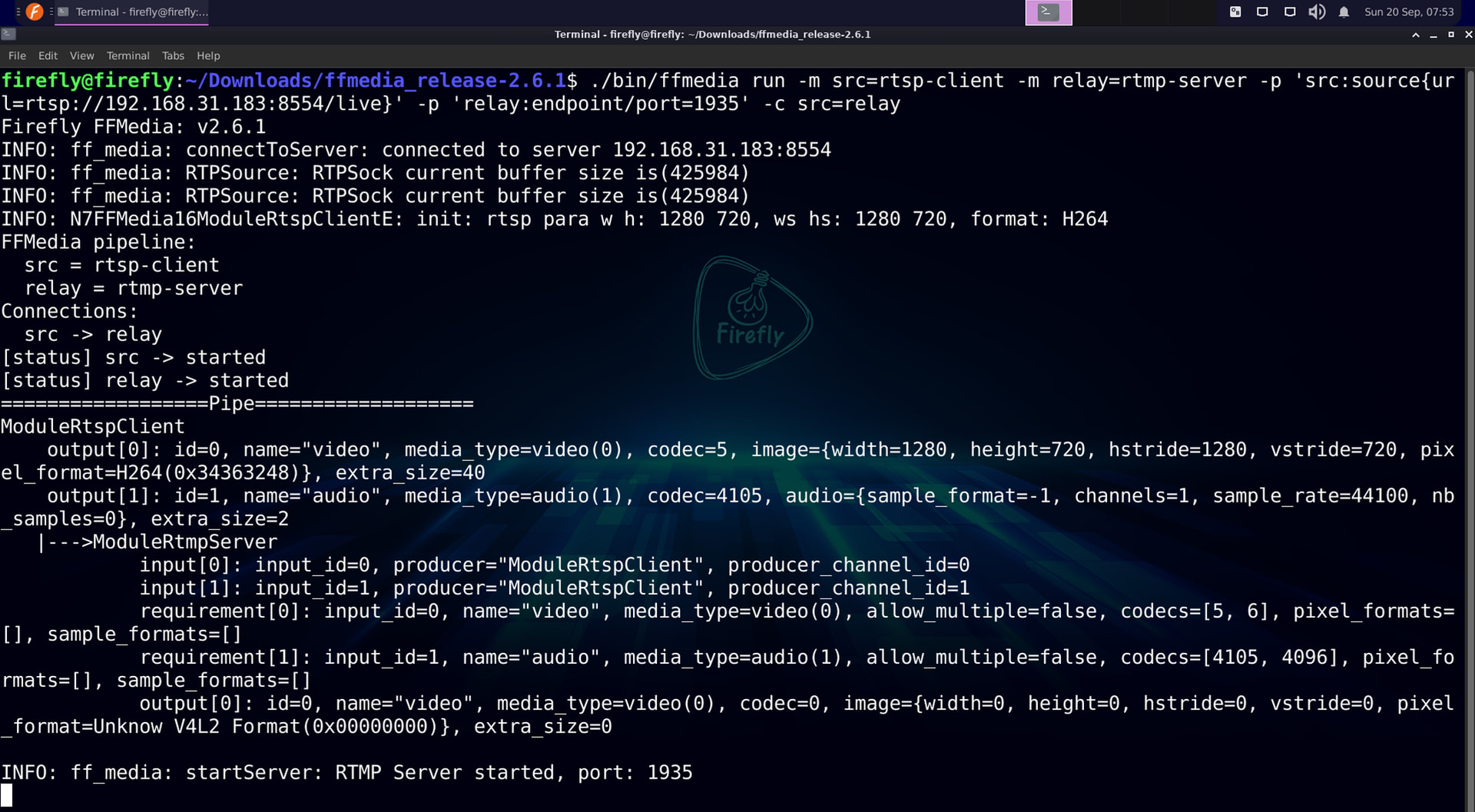
Newly Added Options
| Part | Meaning |
|---|---|
-m relay=rtmp-server |
Declare the RTMP server module instance relay |
-p 'relay:endpoint/port=1935' |
Set the service port to 1935 (the default RTMP port) |
The pulling side — the src instance and the connections — stays completely unchanged.
Verification
ffplay rtmp://<BOARD_IP>:1935/live
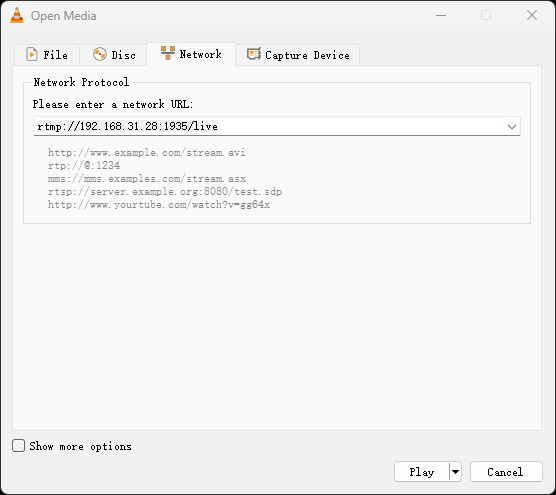
Or use the VLC client to pull the RTMP stream provided by the board:
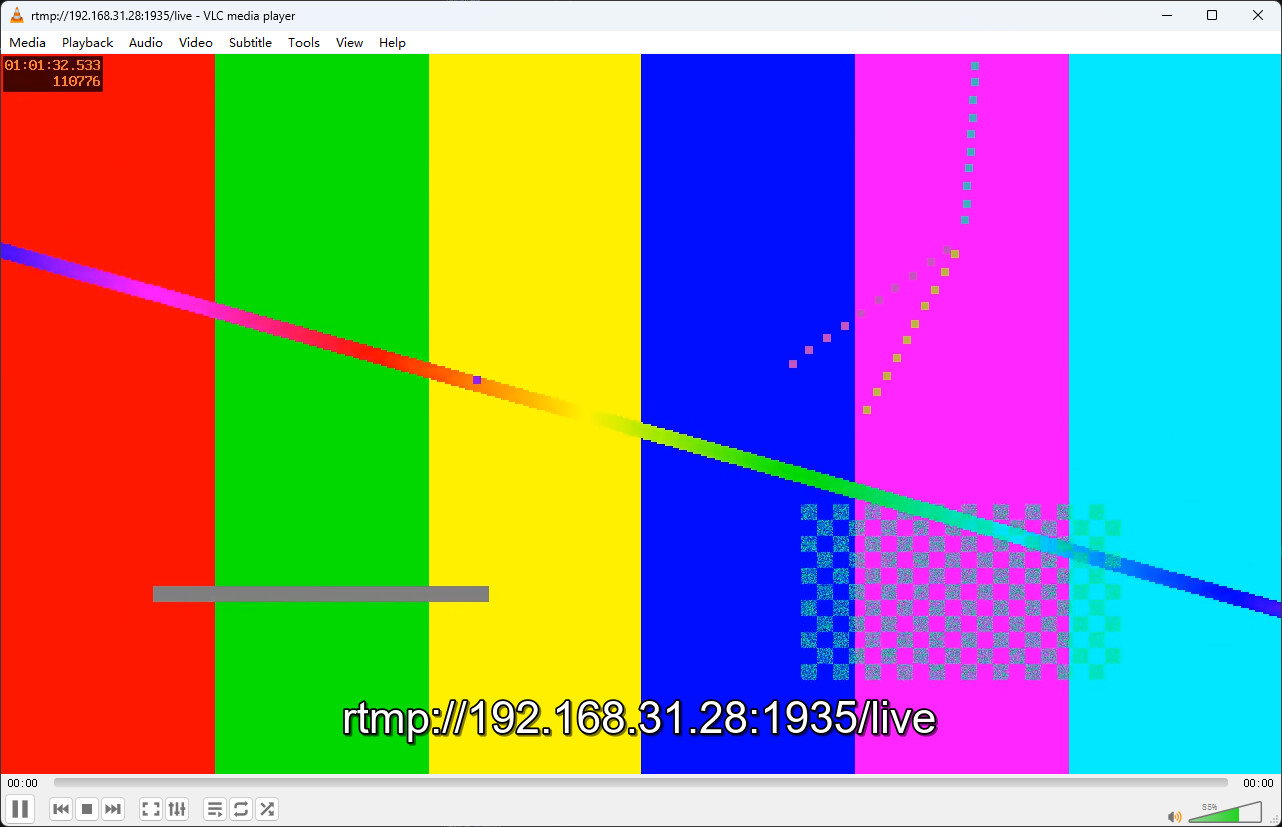
What FFMedia prints:

Note: Pass-through relaying requires the upstream video to be H.264. If the upstream is H.265, or the RTMP client reports an unsupported video codec, use the transcoding pipeline in the next subsection.
Transcoding and Relaying When the Upstream Is H.265
When the upstream codec is incompatible with the target protocol, insert decoding and encoding modules into the pipeline. This example converts H.265 to H.264 and then serves RTMP.
Pipeline Structure
Transcoding pipeline:
rtsp-client -> mpp-dec -> mpp-enc -> rtmp-server
Full Command
./bin/ffmedia run \
  -m src=rtsp-client \
  -m dec=mpp-dec \
  -m enc=mpp-enc \
  -m relay=rtmp-server \
  -p 'src:source{url=rtsp://<PC_IP>:8554/h265}' \
  -p 'enc:encode{codec=5;fps=30;gop=60};output-timeout-ms=-1' \
  -p 'relay:endpoint/port=1935' \
  -c src=dec \
  -c dec=enc \
  -c enc=relay


Newly Added Options
| Part | Meaning |
|---|---|
-m dec=mpp-dec |
Declare the hardware decoding module instance dec |
-m enc=mpp-enc |
Declare the hardware encoding module instance enc |
-p 'enc:encode{codec=5;fps=30;gop=60}' |
Set the encoding format to 5 (H.264), frame rate 30, GOP 60 |
-p '...;output-timeout-ms=-1' |
Disable the output timeout so the transcoding chain does not exit early when there is no output |
-c src=dec |
Feed the pulled stream into the decoding module |
-c dec=enc |
Feed the decoded frames into the encoding module (frames now, no longer a bitstream) |
-c enc=relay |
Feed the encoded H.264 bitstream into the RTMP server |
Video Codec Enumeration Reference
Values of the encode/codec parameter correspond to different video encoding formats; common values are as follows:
| Enum Name | Integer Value | Description |
|---|---|---|
MEDIA_CODEC_UNKNOWN |
0 | Unknown codec format |
MEDIA_CODEC_VIDEO_VCM |
1 | VCM video encoding |
MEDIA_CODEC_VIDEO_MPEG4 |
2 | MPEG-4 video encoding |
MEDIA_CODEC_VIDEO_MPEG1 |
3 | MPEG-1 video encoding |
MEDIA_CODEC_VIDEO_MPEG2 |
4 | MPEG-2 video encoding |
MEDIA_CODEC_VIDEO_H264 |
5 | H.264 (AVC) video encoding ← used in this section’s example |
MEDIA_CODEC_VIDEO_H265 |
6 | H.265 (HEVC) video encoding |
MEDIA_CODEC_VIDEO_VP8 |
7 | VP8 video encoding |
MEDIA_CODEC_VIDEO_VP9 |
8 | VP9 video encoding |
MEDIA_CODEC_VIDEO_AV1 |
9 | AV1 video encoding |
MEDIA_CODEC_VIDEO_MJPEG |
10 | Motion JPEG video encoding |
MEDIA_CODEC_VIDEO_H266 |
11 | H.266 (VVC) video encoding |
MEDIA_CODEC_VIDEO_RAW |
12 | Raw video data |
For details, refer to the SDK’s include/ffmedia/base/ff_type.hpp.
Note: This pipeline handles video only. If you also need to keep the upstream audio, plan the audio channel’s encoding and connections separately — do not assume audio will pass through the video transcoding chain automatically.
Pulling from an RTMP Upstream
rtmp-client supports both pulling and pushing; the direction is determined by the publish parameter:
| Value | Direction | Position in the Pipeline |
|---|---|---|
publish=true |
Pull | As the root source module (Producer) |
publish=false |
Push | As a downstream consumer (Consumer) |
Full Command
Pull the stream and serve it as RTSP:
./bin/ffmedia run \
  -m src=rtmp-client \
  -m relay=rtsp-server \
  -p 'src:source{url=rtmp://<PC_IP>:1935/live;publish=true};timeout/seconds=1' \
  -p 'relay:endpoint/port=8554' \
  -c src=relay
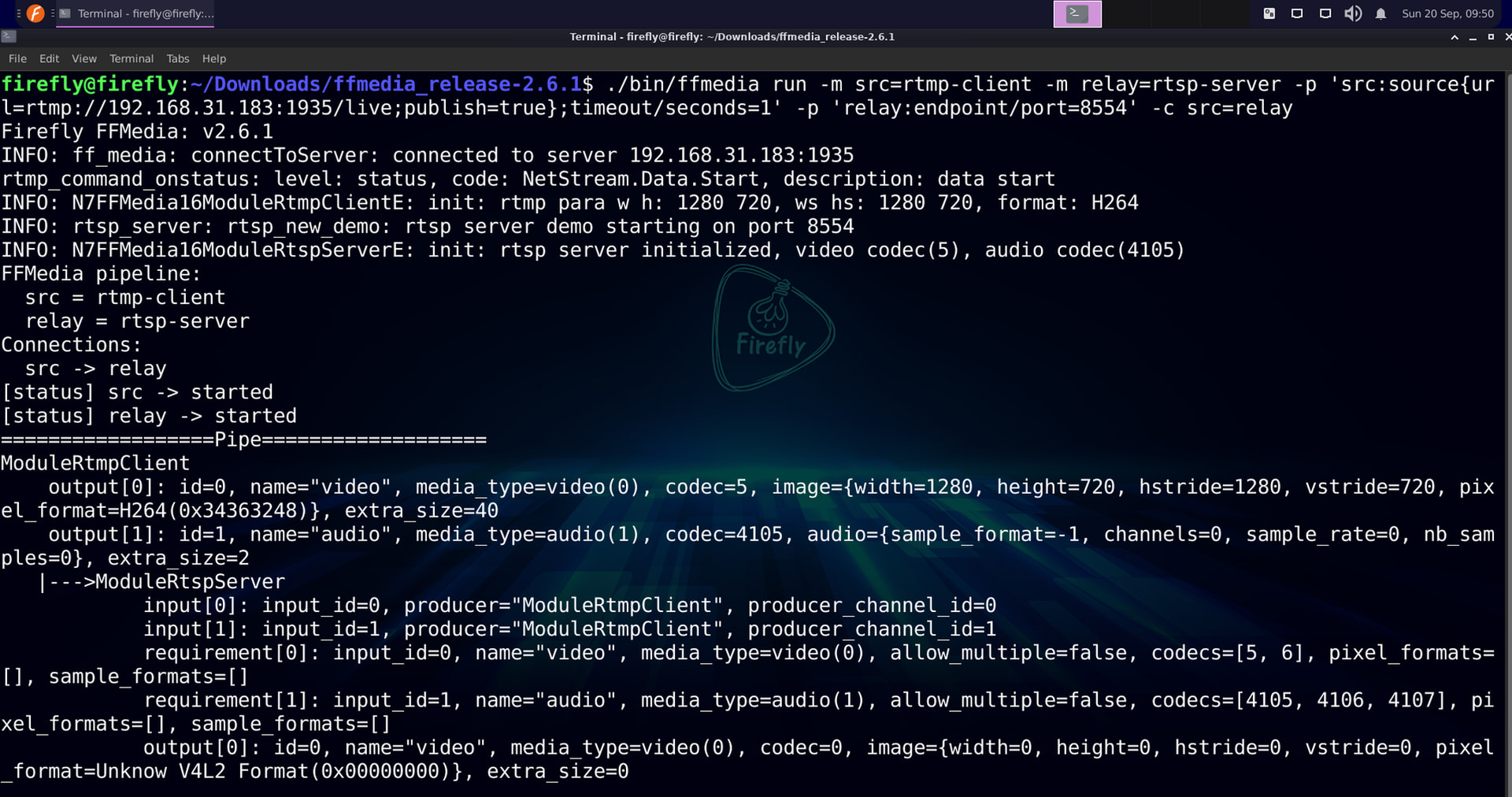
Newly Added Options
| Part | Meaning |
|---|---|
-m src=rtmp-client |
Declare the RTMP client module instance src |
-p 'src:source{url=rtmp://...;publish=true};timeout/seconds=1' |
Specify the upstream RTMP address, and explicitly declare the pull direction and the timeout |
Simply replacing relay with rtmp-server (port 1935) gives you the “RTMP pull → RTMP serve” combination, with the connections unchanged.
Note: In pull mode you must set
publish=trueexplicitly. Without it, the module operates in push mode and behaves as if it cannot pull the stream.
Serving RTSP and RTMP from the Same Upstream
Pipeline Structure
Branch pipeline (the same pulling source can branch to two servers):
                    +-> rtsp-server :8554/live
rtsp-client --------+
                    +-> rtmp-server :1935/live
Full Command
./bin/ffmedia run \
  -m src=rtsp-client \
  -m rtsp=rtsp-server \
  -m rtmp=rtmp-server \
  -p 'src:source{url=rtsp://<PC_IP>:8554/live}' \
  -p 'rtsp:endpoint/port=8554' \
  -p 'rtmp:endpoint/port=1935' \
  -c src=rtsp \
  -c src=rtmp
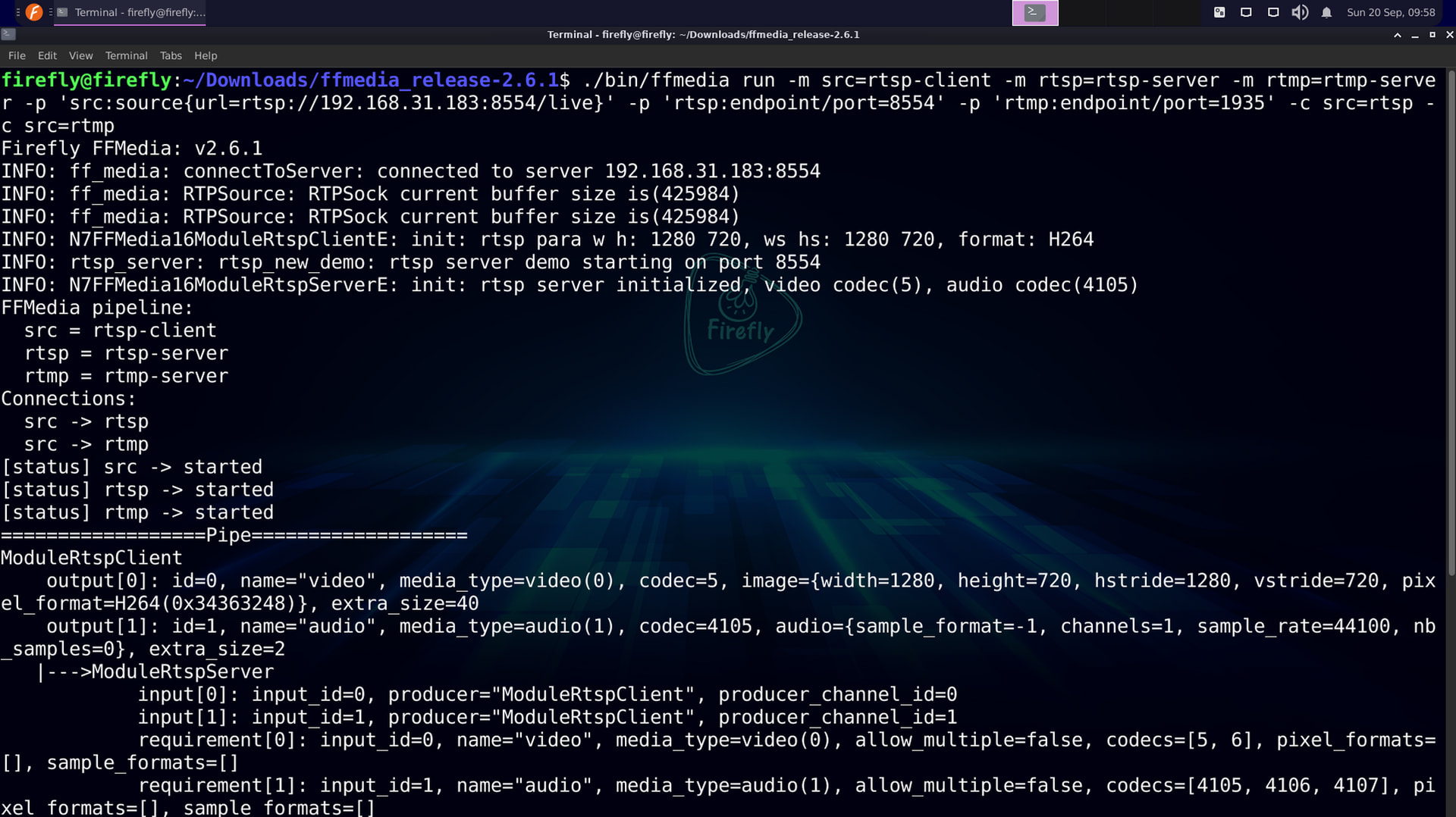
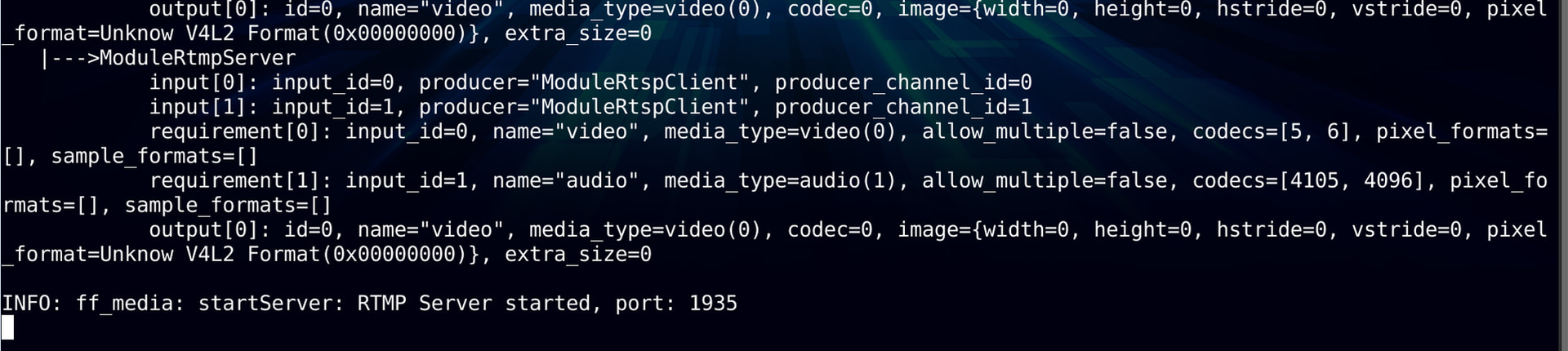
Newly Added Options
| Part | Meaning |
|---|---|
-m rtsp=rtsp-server |
Declare the RTSP server instance rtsp |
-m rtmp=rtmp-server |
Declare the RTMP server instance rtmp |
-c src=rtsp |
The first branch connection (the first Consumer of the same Producer) |
-c src=rtmp |
The second branch connection (the second Consumer of the same Producer) |
The src instance name never changes; it connects to both servers simultaneously via two -c src=... options — no additional dispatch logic is needed; the framework handles it automatically. The two branches do not affect each other.
Verification
ffplay rtsp://<BOARD_IP>:8554/live
ffplay rtmp://<BOARD_IP>:1935/live
This is still bitstream pass-through. If the upstream codec plays fine for RTSP clients but does not suit RTMP, only change the RTMP branch to
mpp-dec → mpp-enc(H.264) → rtmp-server, keeping the RTSP branch as pass-through.
Pulling Other FFmpeg-Supported Inputs
rtsp-client and rtmp-client are dedicated network modules; for input formats supported by FFmpeg such as HLS, HTTP, SRT, and WHEP, use ffmpeg-demux instead:
| Module | Applicable Protocols |
|---|---|
rtsp-client / rtmp-client |
RTSP, RTMP; dedicated implementations |
ffmpeg-demux |
HLS, HTTP, SRT, WHEP, and other inputs supported by FFmpeg |
Check the parameters supported by ffmpeg-demux:
./bin/ffmedia params ffmpeg-demux
The basic parameter format is:
-p 'src:input-format=<FORMAT>;source{uri=<INPUT_URI>;loop=0}'
| Part | Meaning |
|---|---|
input-format |
FFmpeg’s short input format name; it can be omitted if unsure, letting FFmpeg auto-detect |
source/uri |
The input address; use uri, not the dedicated clients’ url |
source/loop=0 |
No looping for network streams; keep running until the stream breaks or a stop signal arrives |
Taking HLS input as an example (replace the address with a real, reachable .m3u8):
./bin/ffmedia run \
  -m src=ffmpeg-demux \
  -m relay=rtsp-server \
  -p 'src:input-format=hls;source{uri=http://<PC_IP>:8888/live/index.m3u8;loop=0}' \
  -p 'relay:endpoint/port=8554' \
  -c src@0=relay
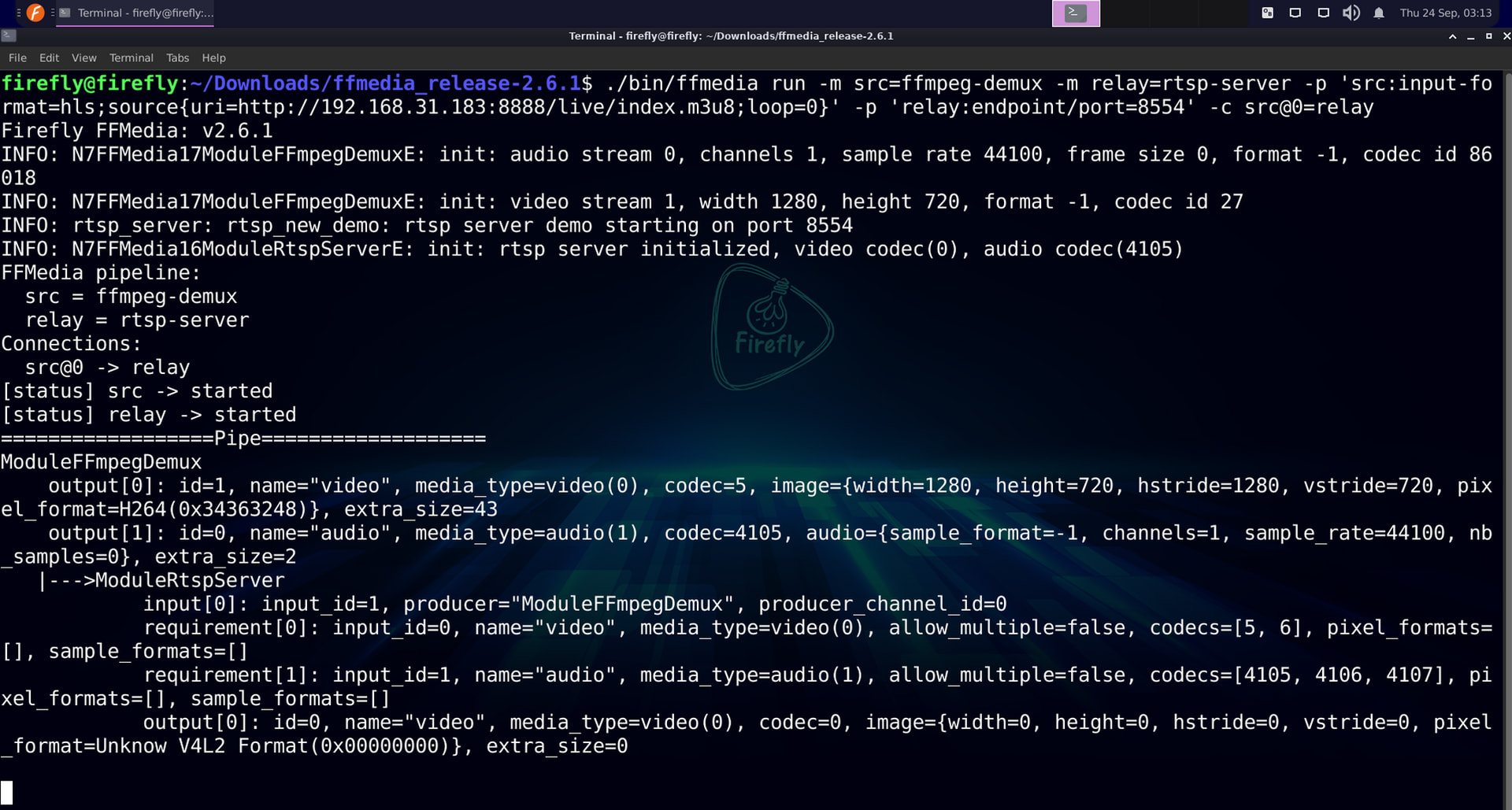
Here src@0 relays only the video channel, avoiding a mismatch between upstream audio codecs such as Opus and what the RTSP server can accept as input.
The TCP option for RTSP is passed through ffmpeg/options:
-p 'src:input-format=rtsp;source{uri=rtsp://<PC_IP>:8554/live;loop=0};ffmpeg{options=rtsp_transport=tcp}'
IPC Network Cameras
An IPC network camera is usually a small streaming device that integrates “capture + encoding + RTSP serving” in one box; it directly replaces the entire “PC + MediaMTX + ffmpeg push” segment.
The main working principle:
- Capture side: sensor imaging → ISP processing (3A, noise reduction) → VENC hardware-encodes to H.264/H.265
- Server side: the firmware runs a built-in RTSP server listening on port 554 or similar
- Externally it is a standard RTSP source — FFMedia’s rtsp-client pulls from it exactly the same way as from MediaMTX
The topology:
IPC camera (an RTSP source as seen from outside)
  image sensor + ISP --> hardware encoding H.264 / H.265 --> built-in RTSP Server :554
        |
        |  rtsp://admin:<Password>@<IPC_IP>:554/Streaming/Channels/101
        v
RK3588 board
  rtsp-client (pulls the stream, no decoding) --> rtsp-server :8554 / rtmp-server :1935
        |
        |  rtsp://<BOARD_IP>:8554/live or rtmp://<BOARD_IP>:1935/live
        v
PC client
  ffplay / VLC / ...
For example, pull from a network camera and relay to rtmp-server, with the encoding format set to 5 (H.264), frame rate 30, GOP 60:
./bin/ffmedia run \
  -m src=rtsp-client \
  -m dec=mpp-dec \
  -m enc=mpp-enc \
  -m relay=rtmp-server \
  -p 'src:source{url=rtsp://admin:<Password>@<IPC_IP>:554/Streaming/Channels/101}' \
  -p 'enc:encode{codec=5;fps=30;gop=60};output-timeout-ms=-1' \
  -p 'relay:endpoint/port=1935' \
  -c src=dec \
  -c dec=enc \
  -c enc=relay
Here rtsp://admin:<Password>@<IPC_IP>:554/Streaming/Channels/101} must be replaced with the actual RTSP URL of your network camera.
Summary
This section applied the three CLI essentials to network pipelines, adding only one module or one connection per step:
- Step 1 (upstream verification): use MediaMTX + ffmpeg synthetic streams as the upstream source, verify availability on the PC first with
ffprobe/ffplay, keeping the problem boundary outside the board; - Step 2 (pull + RTSP serve): pull with
rtsp-clientand distribute withrtsp-server, completing the simplest pass-through pipeline; - Step 3 (swap in the RTMP server): only replace
relay’s module and port (1935); the pulling side is untouched; - Step 4 (insert transcoding): when the upstream is H.265, add
mpp-decandmpp-encbetweensrcandrelay(codec=5converts to H.264); - Step 5 (swap the puller): replace
rtsp-clientwithrtmp-client+publish=true, declaring the pull direction explicitly; - Step 6 (branch pipeline): one
rtsp-clientconnects to bothrtsp-serverandrtmp-servervia two-c src=...options; - Step 7 (swap to the general-purpose pulling module): for inputs supported by FFmpeg such as HLS and SRT, replace the dedicated clients with
ffmpeg-demux; - Step 8 (swap to a real upstream source): replace the upstream address with the IPC camera’s RTSP URL.