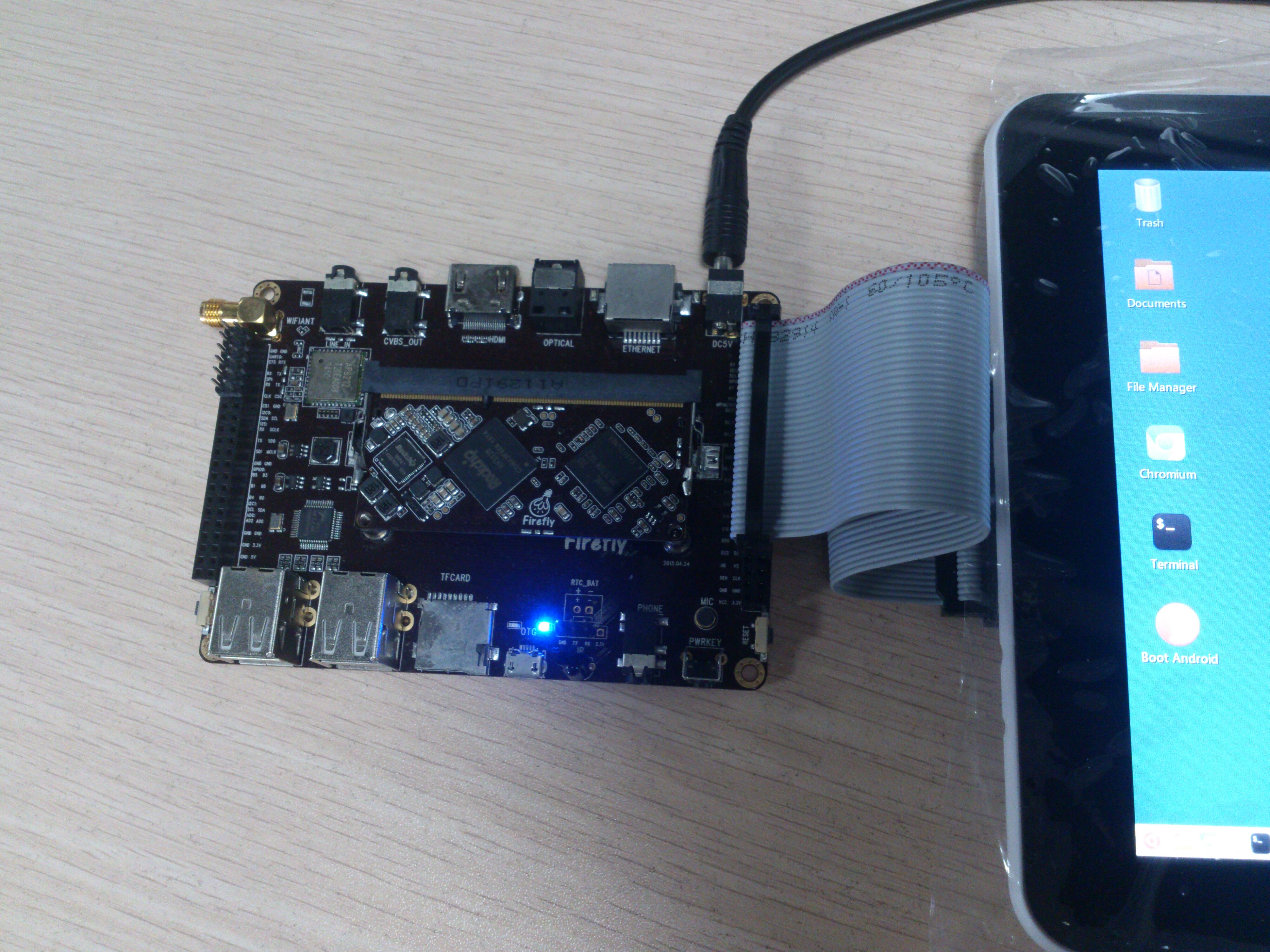
Hi folks,
A new dual OS firmware for FirePrime mass produced board has been released. It comes with touch screen support!
You can download it at Google Drive:
https://drive.google.com/file/d/ … 2M/view?usp=sharing
Here’re the snapshots:
Hi folks,
A new dual OS firmware for FirePrime mass produced board has been released. It comes with touch screen support!
You can download it at Google Drive:
https://drive.google.com/file/d/ … 2M/view?usp=sharing
Here’re the snapshots:
1.1 Introduction
  X11 window system uses evdev input driver to handle touch screen
  events. There're mainly two steps to add touch screen support:

  1. Add X11 configuration file to use evdev driver for touch screen.
  2. Make evdev support touch screen (also emulate right mouse button).

1.2 Configuration
Create file `/etc/X11/xorg.conf.d/10-evdev-gslX680.conf’ with
following contents:
,----
| Section “InputClass”
| Identifier “gslX680 evdev touchscreen”
| MatchProduct “gslX680”
| MatchDevicePath “/dev/input/event*”
| Option “EmulateThirdButton” “true”
| Option “EmulateThirdButtonTimeout” “500”
| Option “EmulateThirdButtonMoveThreshold” “50”
| Driver “evdev”
| EndSection
`----
1.3 Make evdev support touch screen
  The original evdev driver does not support Android input touch driver
  well. It needs some patches.

  Here're the main steps to patch and recompile a new one.

1.3.1 Install build environment and dependencies
------------------------------------------------

  ,----
  | sudo apt-get install build-essentials
  | sudo apt-get build-dep xserver-xorg-input-evdev
  `----

1.3.2 Fetch, patch, and compile the source code
-----------------------------------------------

  ,----
  | sudo apt-get source xserver-xorg-input-evdev
  | cd xserver-xorg-input-evdev-2.9.0/src
  | GITHUB=https://github.com/TeeFirefly/xf86-input-evdev/tree/ba37709e2aab50354c9925ca1e975779a16c67dc
  | wget $GITHUB/src/emuThird.c
  | wget $GITHUB/src/evdev.c
  | wget $GITHUB/src/evdev.h
  | cd ..
  | make -j4
  `----

1.3.3 Install the newly built module
------------------------------------

  ,----
  | mv /usr/lib/xorg/modules/input/evdev_drv.so /usr/lib/xorg/modules/input/evdev_drv.so.orig
  | cp src/.libs/evdev_drv.so /usr/lib/xorg/modules/input/evdev_drv.so
  `----

Restart system to take effectYour article was truly insightful, I’m sincerely thankful. Free Training 010-160 Solutions available to improve your IT skills. Best of luck!
This article is exceptional, I truly appreciate you sharing it! Free Reliable practice C_TFG61_2405 test online resources—good luck with your exam!
This article is a real treasure, thank you for sharing it with us. The DOP-C02 reliable exam registration exam that helped me get promoted and earn a salary raise is available for you today at no charge. Hope you reach your career targets soon!